
Maintenance schedules
Plan recurring maintenance for each asset and see when it is next due.
EBUYERASSIST / ASSET MAINTENANCE
Schedule maintenance, raise work orders and keep a costed maintenance history for every asset in the eBuyerAssist asset register.
Genuine eBuyerAssist 2.0 screens · demo data, not customer results
INSIDE EBUYERASSIST 2.0
Genuine application screens from the eBuyerAssist 2.0 demo tenant.
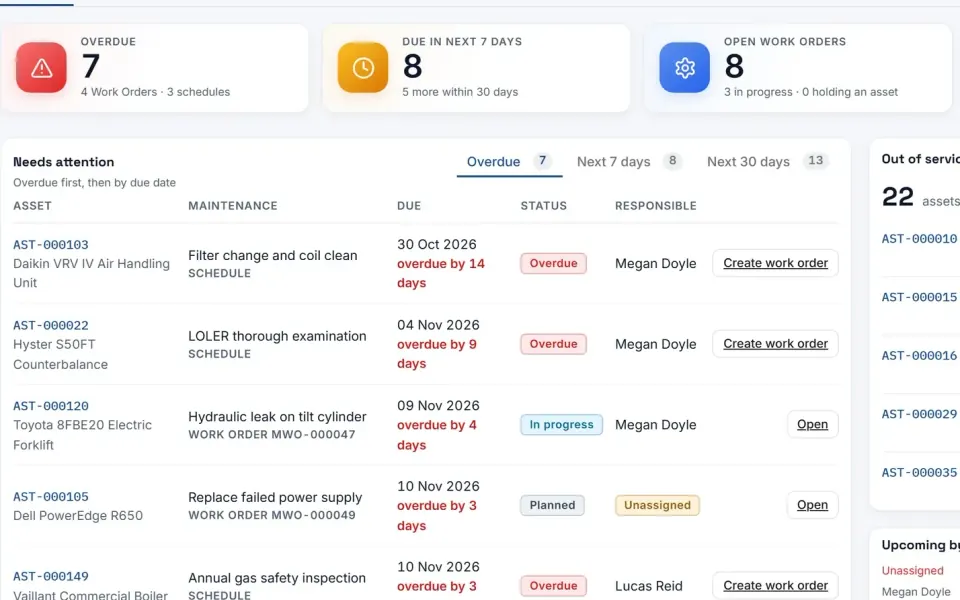
Maintenance dashboard. What maintenance is due, what is open and which assets are out of service.
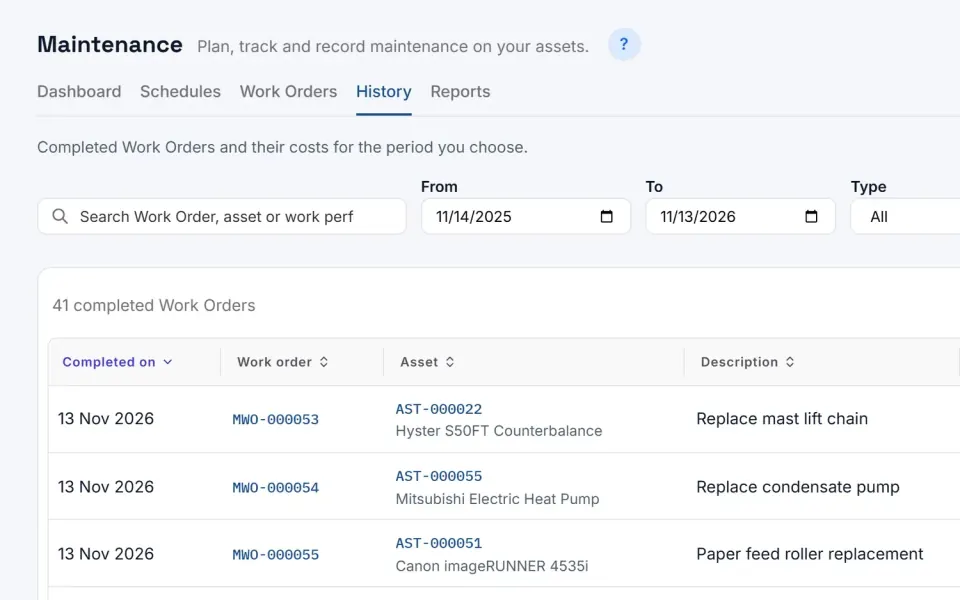
Completed maintenance with its dates, suppliers and cost.
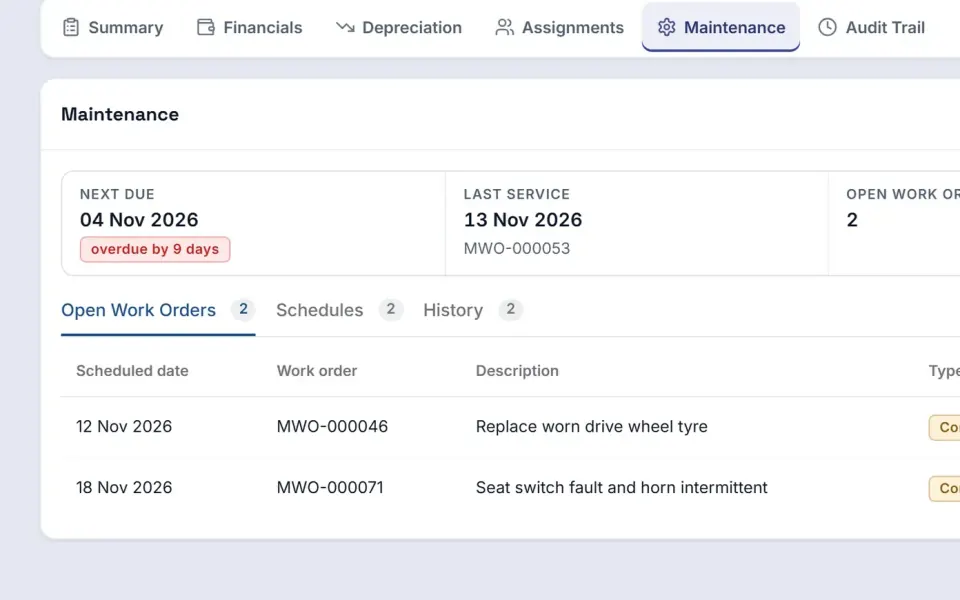
Schedules and work orders on a single asset.
Genuine eBuyerAssist 2.0 screens · demo data, not customer results
THE DETAILS THAT MATTER
Keep the context, control and continuity your team needs.
Plan recurring maintenance for each asset and see when it is next due.
Raise preventive and corrective work orders, assign who is responsible and follow each one from planned to in progress.
See overdue work first, then the maintenance due in the next 7 and 30 days.
Keep the assets marked out of service in view, linked to the asset register.
Each asset shows its next due date, last service, open work orders and maintenance spend to date.
Record completed work with its date, type, supplier and cost, and export the history for the period you choose.
MAIN FEATURES
IN EBUYERASSIST 2.0
What the current version of eBuyerAssist does, each with an example of it in practice.
eBuyerAssist 2.0 schedules recurring maintenance on registered assets, such as monthly, quarterly or annual servicing, or a one-off job. Each schedule can name a responsible person and an approved supplier, due dates keep to their regular calendar even when a job is finished late, and reminders go out in the system and by email before work is due and when it becomes overdue.
For example, a university can schedule quarterly servicing of its laboratory equipment and make a site engineer responsible, who is reminded by email a week before each service is due.
eBuyerAssist 2.0 records preventive and corrective maintenance work orders against assets, from planned through in progress to completed, with documents, a responsible person, and work done internally or by an approved supplier. Completion captures the work done and its labour, materials and outside service costs, and a job can hold the asset out of service until the last work needing it is finished.
For example, when a hospital's imaging equipment needs repair, the team can raise a corrective work order that keeps the equipment out of service until the repair is completed.
eBuyerAssist 2.0 gives maintenance teams a dashboard of overdue and upcoming work, open work orders, assets out of service and maintenance spend, with workload shown by responsible person and unassigned work highlighted. Completed work is kept as history with its costs, and reports show spend by month, asset, site and type of work, with CSV exports.
For example, a hotel chain can compare maintenance spend across its hotels, see how much went on repairs versus planned servicing, and export the detail to a spreadsheet.
START WITH YOUR REQUIREMENTS
Explore the application in your own words, or bring your process to a personalized demonstration.
eBuyerAssist connects purchasing with its relevant optional modules. Your implementation is scoped around the capabilities, approval rules and integrations your organization needs.
Yes. Describe the people, locations, systems and purchasing activity involved. Eyvo can use that context to demonstrate the relevant workflow and agree the scope.
Yes. The screens are genuine eBuyerAssist 2.0 screens from the demo tenant of its development environment. The names of people and companies are replaced with fictional ones, figures are demo data rather than customer results, and workflow illustrations are identified separately.
SEE WHAT CONNECTED CAN DO
Let’s put your people, your processes and
your priorities at the center of the conversation.